

 Jackets
Cotton-Wreath Print Denim Jack
$45.45Weidian
Outerwear & layers from FindSpreadsheet. Open a listing to check its source and available QC photos.
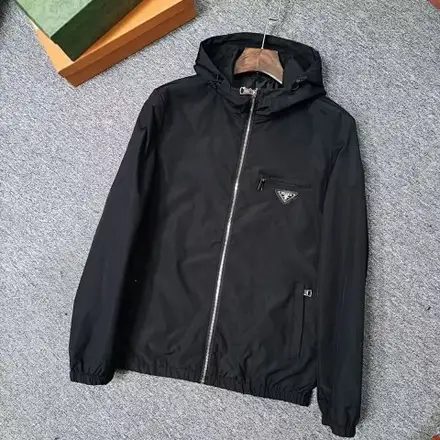
FindSpreadsheet catalog
Jackets Jackets
 Jackets
 Jackets
 Jackets
 Jackets
 Jackets
 Jackets
 Jackets
 Jackets
 Jackets
 Jackets
 Jackets
 Jackets
 Jackets
 Jackets
 Jackets
 Jackets
 Jackets
 Jackets
 Jackets
 Jackets
 Jackets
 Jackets
Compare the listing details, shipping options and the QC photos available for your item.
Check outerwear by fit, lining, closure and room for layers. Compare chest width, shoulder width and sleeve length with a jacket you already wear over similar clothing.
Check lining, fill, whether the hood detaches and where the seller measures sleeve length. Compare the jacket over your expected layers and record shoulder width as well as chest width.
Open a product to compare the seller listing and available options. Record the Weidian ID, selected size or model, color and quantity so you can check the warehouse photos against the actual order.
Padded coats can take more space than their scale weight suggests. Compare packed dimensions and any compression option the warehouse offers while considering whether the lining or fill could be affected.
Use the same destination and item quantity when you compare packing choices. Save the estimate date, route, chargeable weight and outside dimensions. Recheck the route after packing or if you add another item, and check whether extras are included in the quote.
Seller-to-warehouse delivery and international shipping are separate charges. Enter your destination, actual item type and packed weight in kilograms, then add outer parcel dimensions in centimeters. Compare available routes and confirm the current quote on Pikobuy before paying.
Check the front and back, lining, zipper or snaps, cuffs and visible seams. Ask for a photo with the jacket closed and laid flat if you need a usable chest measurement.
Ask for the jacket zipped and laid flat, plus photos of the lining and the main closure. If the warehouse offers compression, compare the updated outer dimensions and whether the packing could affect the fill or shape.