

 Shoes
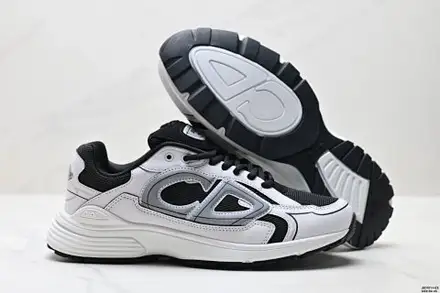
Dream Batch Sneakers
$114.33Weidian
Sneakers, boots & more from FindSpreadsheet. Open a listing to check its source and available QC photos.
FindSpreadsheet catalog
Shoes Shoes
 Shoes
 Shoes
 Shoes
 Shoes
 Shoes
 Shoes
 Shoes
 Shoes
 Shoes
 Shoes
 Shoes
 Shoes
 Shoes
 Shoes
 Shoes
 Shoes
 Shoes
 Shoes
 Shoes
 Shoes
 Shoes
 Shoes
Compare the listing details, shipping options and the QC photos available for your item.
This category covers sneakers, boots and slides. Compare the exact model and colorway, then read the seller’s size chart. Use foot length or measured insoles when offered and check whether the measurements refer to the foot or the inside of the shoe.
Before paying, confirm whether the size chart uses foot length, insole length or a regional size. Save the exact colorway and whether the seller includes a box, spare laces or other accessories.
Open a product to compare the seller listing and available options. Record the Weidian ID, selected size or model, color and quantity so you can check the warehouse photos against the actual order.
Compare packed weight and dimensions with and without the shoe box if the warehouse offers that choice. Preserve packaging needed for a possible return. Boots and rigid boxes can change which route is economical even if two pairs have similar scale weights.
Use the same destination and item quantity when you compare packing choices. Save the estimate date, route, chargeable weight and outside dimensions. Recheck the route after packing or if you add another item, and check whether extras are included in the quote.
Seller-to-warehouse delivery and international shipping are separate charges. Enter your destination, actual item type and packed weight in kilograms, then add outer parcel dimensions in centimeters. Compare available routes and confirm the current quote on Pikobuy before paying.
Check the size labels on both shoes, outsole pattern, toe shape, heel alignment and left-to-right consistency. Request a photo of the insole from end to end if length matters. Check that the option shown matches the color you selected.
Ask for one picture of both size labels and one of both soles side by side. If the box is optional, compare two estimates using the same destination and the actual dimensions reported for each packing choice.