

 T-shirts
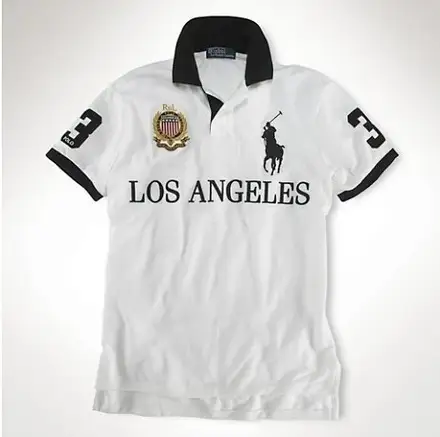
Contrast-Seam Athletic T-Shirt
$19.28Weidian
Graphic tees & basics from FindSpreadsheet. Open a listing to check its source and available QC photos.
FindSpreadsheet catalog
T-shirts T-shirts
 T-shirts
 T-shirts
 T-shirts
 T-shirts
 T-shirts
 T-shirts
 T-shirts
 T-shirts
 T-shirts
 T-shirts
 T-shirts
 T-shirts
 T-shirts
 T-shirts
 T-shirts
 T-shirts
 T-shirts
 T-shirts
 T-shirts
 T-shirts
 T-shirts
 T-shirts
Compare the listing details, shipping options and the QC photos available for your item.
Compare neckline, sleeve length, cut and garment measurements. For graphic tees, confirm the exact print and where it is placed. If a listing has multiple variants, make sure the price applies to the one you intend to buy.
Save the exact graphic option and check whether the photo shows the front, back or both. Compare the tee’s flat chest width and length to one you own, especially if the listing uses an oversized cut.
Open a product to compare the seller listing and available options. Record the Weidian ID, selected size or model, color and quantity so you can check the warehouse photos against the actual order.
Estimate several tees together using their packed weight. Extra packaging and thicker fabric can change the estimate, so recheck the final quote once the warehouse measures the parcel.
Use the same destination and item quantity when you compare packing choices. Save the estimate date, route, chargeable weight and outside dimensions. Recheck the route after packing or if you add another item, and check whether extras are included in the quote.
Seller-to-warehouse delivery and international shipping are separate charges. Enter your destination, actual item type and packed weight in kilograms, then add outer parcel dimensions in centimeters. Compare available routes and confirm the current quote on Pikobuy before paying.
Ask for the front and back laid flat, a size-tag photo, and a close-up of the print if alignment matters. Use the same chest-width and body-length endpoints as the seller chart.
For a graphic tee, request flat front and back photos and one close-up that shows print alignment near a seam. Estimate multi-shirt orders using a single packed subtotal and confirm the weight again after packing.